Recommended buying guides
Turn this advice into a better setup
If this guide helped you identify what needs fixing, these related buying guides are the next practical step.
Setting up a home office doesn’t have to drain your savings. With the right priorities and a little creativity, you can build a productive, comfortable workspace for a few hundred dollars — or even less. This guide walks you through exactly how to do it.
Step 1: Choose the Right Space
Before you spend a single dollar, identify where in your home you’ll work. A dedicated room is ideal, but a quiet corner in a bedroom or living area can work just as well. The key is to pick a spot with good natural light, minimal foot traffic, and enough room for a desk and chair. If you’re working with a small apartment, a compact L-shaped desk tucked into a corner can carve out a surprisingly functional workspace without overwhelming the room.
Avoid high-traffic zones like kitchens or living rooms with TVs if you can help it — distractions are the enemy of productivity. Even a simple visual boundary, like a room divider or bookshelf, can mentally separate your “work zone” from your relaxation space.
Step 2: Find an Affordable Desk
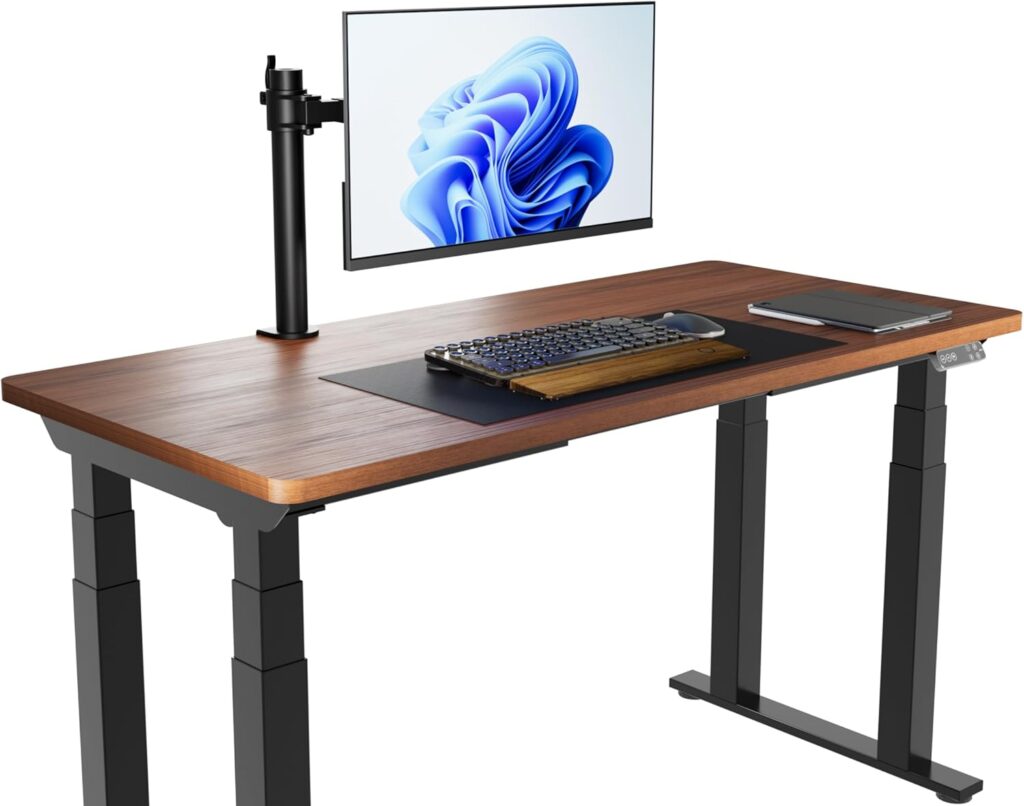
A decent desk is the foundation of your home office, and you don’t need to spend a fortune. Look for desks at thrift stores, Facebook Marketplace, or IKEA — the IKEA LINNMON tabletop with adjustable legs (around $50–$80 total) is a perennial favorite for budget setups. A solid door from a hardware store placed on two filing cabinets is another classic DIY option that gives you a wide, sturdy surface for under $100.
Prioritize surface area over aesthetics. A spacious desk reduces clutter and gives you room to spread out notes, a second monitor, or reference materials. Aim for at least 48 inches wide if your space allows it.
Step 3: Invest in a Good Chair
If there’s one area worth spending a bit more on, it’s your chair. Poor seating leads to back pain, fatigue, and reduced focus — all of which cost you far more in lost productivity than a good chair would. You don’t need a $500 ergonomic chair; brands like Staples, IKEA (the MARKUS is a solid choice around $230), and Amazon Basics offer decent lumbar support at budget prices.
When shopping, look for adjustable seat height, lumbar support, and armrests. Test it if you can, or check return policies carefully for online purchases. A secondhand office chair in good condition from a liquidation sale or thrift store can be a real find — just inspect the seat foam and casters before buying.
Step 4: Get the Right Monitor Setup
If your work involves long hours staring at a screen, upgrading your display makes a significant difference. A dedicated external monitor — even a 24-inch 1080p model — reduces neck strain compared to hunching over a laptop. You can find solid monitors from brands like Acer, LG, or ASUS in the $100–$150 range. Check refurbished listings from manufacturers or retailers like Newegg and B&H for even steeper discounts.
Pair your monitor with a monitor stand or a sturdy stack of books to raise it to eye level. Your eyes should naturally fall on the top third of the screen when sitting upright — this simple adjustment alone can eliminate a lot of neck and shoulder tension.
Step 5: Set Up Reliable Lighting
Proper lighting is often overlooked but has a huge impact on both productivity and wellbeing. Position your desk perpendicular to windows to avoid glare on your screen. For artificial lighting, a simple LED desk lamp with adjustable brightness and color temperature is all you need — many solid options exist for $20–$40 on Amazon.
If you’re on video calls regularly, consider a small ring light or position your existing lamp to the side and slightly in front of you for even, flattering illumination. Good lighting makes you look more professional on screen and reduces eye strain during long work sessions.
Step 6: Organize with Budget-Friendly Accessories
A clutter-free desk is a productive desk. You don’t need expensive organizers — repurpose mason jars for pens, use a spare shoebox as a cable management box, or pick up a simple cable tray from Amazon for under $15. A few command hooks on the wall can hold headphones, bags, or cables without damaging your walls.
For file organization, a basic two-drawer filing cabinet doubles as a desk leg and storage. If you go paperless, a USB hub (around $15–$25) keeps all your peripherals neatly connected without the tangle of cables. Invest in a few velcro cable ties — they’re cheap and make a surprisingly big difference in how clean and organized your workspace looks and feels.
Step 7: Optimize Your Internet Connection
A fast, reliable internet connection is non-negotiable for remote work. If your router is far from your workspace, consider a Wi-Fi extender (around $20–$40) or, better yet, run an ethernet cable directly to your desk. A wired connection is almost always faster and more stable than Wi-Fi, and ethernet cables are inexpensive — a 25-foot Cat6 cable runs under $10.
If your internet plan itself is the bottleneck, check whether your provider offers faster tiers. Many areas also have competitive ISPs that offer promotional rates for new customers — it’s worth a quick comparison every year to make sure you’re not overpaying for slower speeds.
Budget Home Office Quick Checklist
- ✅ Identify a dedicated, low-traffic workspace area
- ✅ Source an affordable desk (IKEA, thrift stores, Marketplace)
- ✅ Choose a chair with adjustable height and lumbar support
- ✅ Add an external monitor at eye level
- ✅ Set up a desk lamp with adjustable brightness
- ✅ Use cable ties and a USB hub for organization
- ✅ Use ethernet for a stable internet connection
- ✅ Repurpose household items for desk organization
Frequently Asked Questions
How much does it cost to set up a budget home office?
A functional home office can be set up for as little as $200–$400 if you shop smart. The biggest investments are typically the desk and chair. By shopping secondhand, checking sales, and prioritizing essentials over extras, you can keep costs low without sacrificing comfort or productivity.
What is the most important piece of home office furniture?
Your chair is arguably the most important investment. You’ll spend hours in it every day, and poor seating directly leads to back pain, discomfort, and reduced focus. Even on a tight budget, try to allocate a meaningful portion to a chair with proper lumbar support and adjustability.
Can I set up a home office in a small apartment?
Absolutely. A wall-mounted fold-down desk, a compact corner desk, or even a well-organized closet can serve as an effective home office in a small space. The key is to keep the area tidy, well-lit, and mentally associated with work rather than leisure — even a small, dedicated spot can make a big difference in your productivity.