Product specs below come from Amazon listing facts (researched 16 Sep 2026, with HUANUO Dual and MOUNTUP specs rechecked 12 Oct 2026). This is a research-based setup guide built from common ergonomics ranges and typical 27″ panel dimensions — not a claim that we lab-tested every desk, arm and monitor combination. Prices and stock move — confirm the live listing on Amazon before you buy.
As an Amazon Associate, WorkspaceWisePro may earn from qualifying purchases.
Research-based guide · Marcus Webb · WorkspaceWisePro · Updated October 12, 2026 (IDT)
Two 27-inch panels look great in a product photo and feel wrong by mid-afternoon if the gap, angle, and desk width fight your neck. Standing desks add a second failure mode: the top rises, cables go taut, and a shared crossbar that was fine when sitting drifts off eye level when you stand. This guide is research-based — built from common ergonomics ranges, typical 27″ panel dimensions, manufacturer weight bands, and recurring setup patterns — not a claim that we lab-measured your cervical rotation.
Goal: a dual 27″ layout you can use for hours sitting and standing, with the primary work window in front of you and the secondary screen a small eye (or head) turn away.
Compare dual-ready monitor arms for standing desks →
Bezel gap and eye angle
A 27-inch monitor is measured diagonally. Physical width is usually about 24–24.5″ for many 16:9 panels (bezels vary). Two screens side by side are therefore not “54 inches of desk” in a straight line — inward angle shortens the front span and brings the inner edges closer to you.
Bezel gap (the seam)
Practical target for matched dual 27s:
| Setup intent | Inner bezel gap | Why |
|---|---|---|
| Equal dual (IDE + browser, docs + sheet) | ~0–2″ between inner bezels | Minimizes the visual “dead zone”; eyes sweep the seam without a large empty band |
| Primary + secondary | 1–3″ OK | Secondary can sit slightly farther; keep the primary centered on your nose |
| Avoid | Large flat gap with screens parallel | Forces more neck rotation and a wider visual hop |
Sit (or stand) in your normal posture. Extend both arms forward: fingertips should nearly reach the center seam. Too far past the seam → pull screens closer; hitting glass early → push back or soften the angle.
Eye angle (horizontal)
Keep sustained viewing inside a roughly ~30° comfort cone from center gaze when you can.
- Equal dual: angle both inward about 15–25° (shallow “V”).
- Primary + secondary: center the primary; angle the secondary ~20–30° in.
Flat, parallel duals look tidy in photos and cost neck rotation all day — avoid them as the default.
Vertical alignment
Match top edges (or vertical centers if sizes differ). Top of screen at or just below eye level for the posture you are in — sitting and standing. If your sit and stand eye-to-desk deltas differ, an arm with independent height (or enough travel) beats a fixed riser. For worksheets, see our monitor height guide.
Buy if (geometry): you can get a ~0–2″ seam and inward angles without the outer edges hanging past the desk.
Skip if: you need both screens dead-flat for a single ultrawide-like canvas — consider one ultrawide instead of forcing parallel dual 27s.
Desk width minimums
Diagonal size does not equal desk width. Plan from physical panel width + angle + side clearance.
| Desk width | Dual 27″ reality |
|---|---|
| ≤48″ | Tight. Often forces outward screens, edge hang, or aggressive nesting. Arms help reclaim depth but cannot invent width. |
| ~55–60″ | Practical minimum for most dual 27″ arm setups with inward angle and mouse room. |
| 60–72″ | Comfortable band — room for speakers, dock, and cable routing without crowding the clamp. |
| ≥72″ | Best when you add a dock, mic arm, or third peripheral zone. |
Depth still matters. Stock stands eat ~8–10″ of depth each; arms reclaim that so you can park glass rearward and hit roughly 20–28″ viewing distance. On usable depth ≤24″, dual 27s compete hard for distance — see the shallow-desk arm guide. Leave a clear clamp strip; trays/rails at the bite point are a common sit-stand fail.
Tradeoff: wider desks forgive imperfect angles; narrower desks need independent arms and disciplined inward tilt.
Weight budget for two 27s
Monitor arms fail more often on weight than on screen size. Always weigh (or check the spec sheet for) each panel without the stock stand. Typical modern 27″ IPS panels often land around ~8–14 lb bare; heavier gaming, curved, or thick-chassis models can exceed budget dual ratings.
Budget math
- Record weight per monitor (no stand).
- Confirm VESA (usually 75×75 or 100×100).
- Compare to per-arm capacity on the listing — dual mounts are rated per side, not as one combined number.
- Keep a margin: if a monitor sits near the max, gas springs can feel soft or drift.
Our Amazon picks — verify live specs
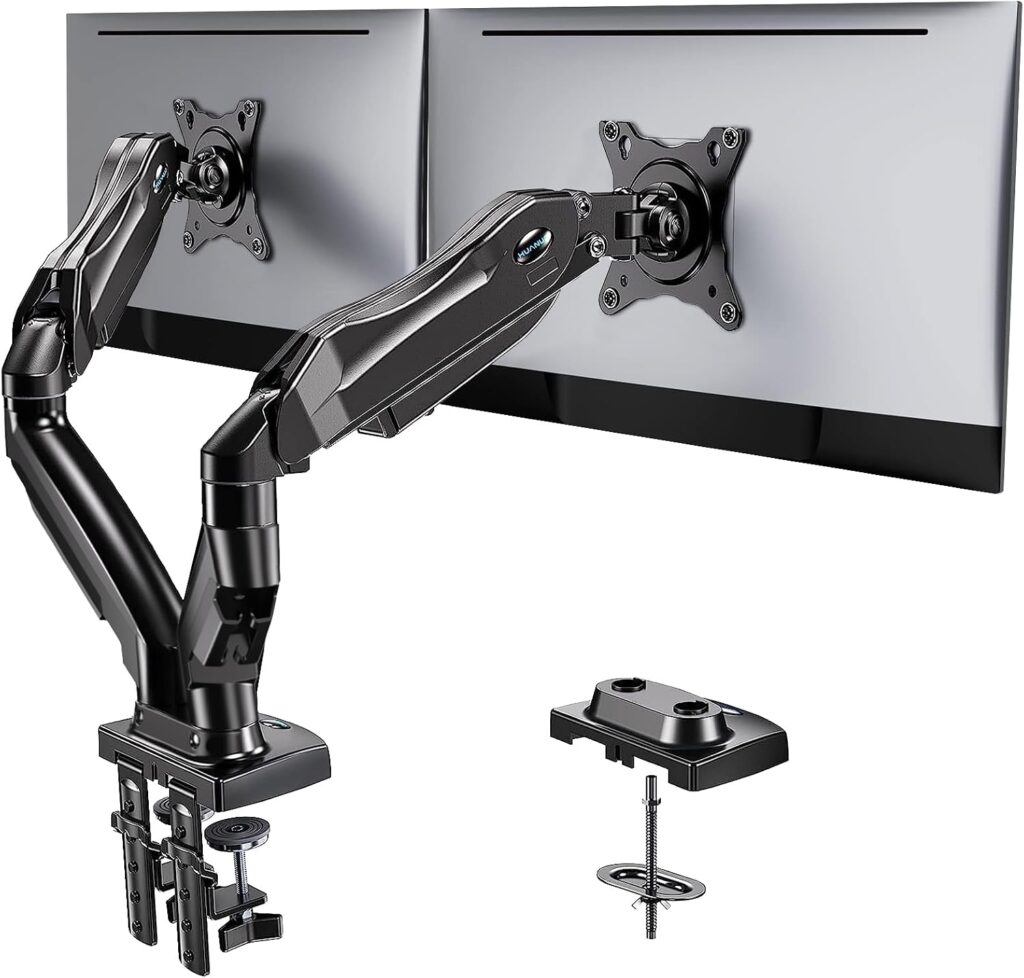
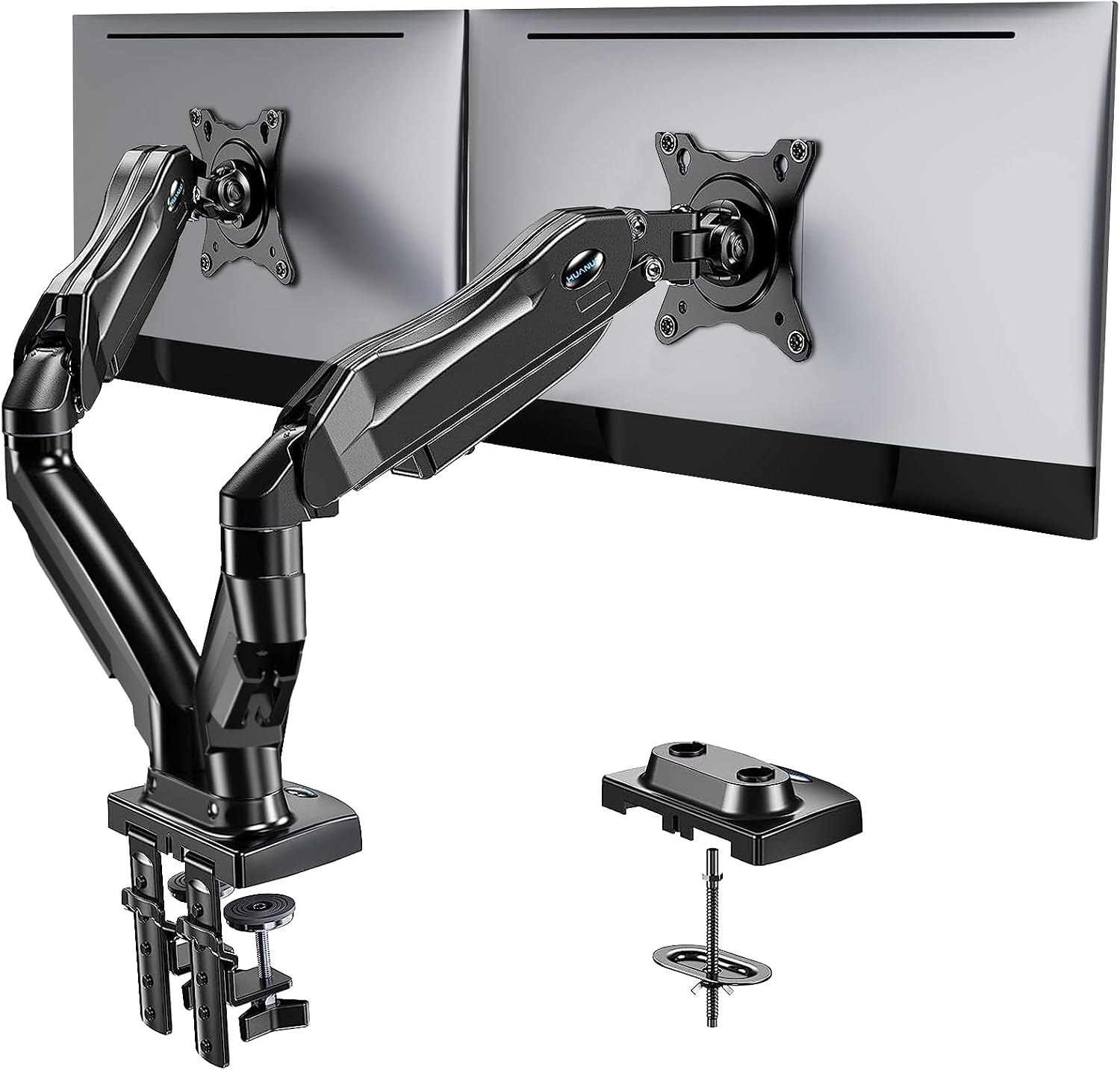
Prefer a true dual for matched 27s. Specs below come from Amazon listing facts (researched 16 Sep 2026, with HUANUO Dual and MOUNTUP specs rechecked 12 Oct 2026); always re-check the live listing before you buy. Do not treat a single-arm kit as a dual-27 solution.
| Role | Product | ASIN | Fit note (listing specs) |
|---|---|---|---|
| Preferred dual kit | HUANUO Dual Monitor Stand | B07T5SY43L |
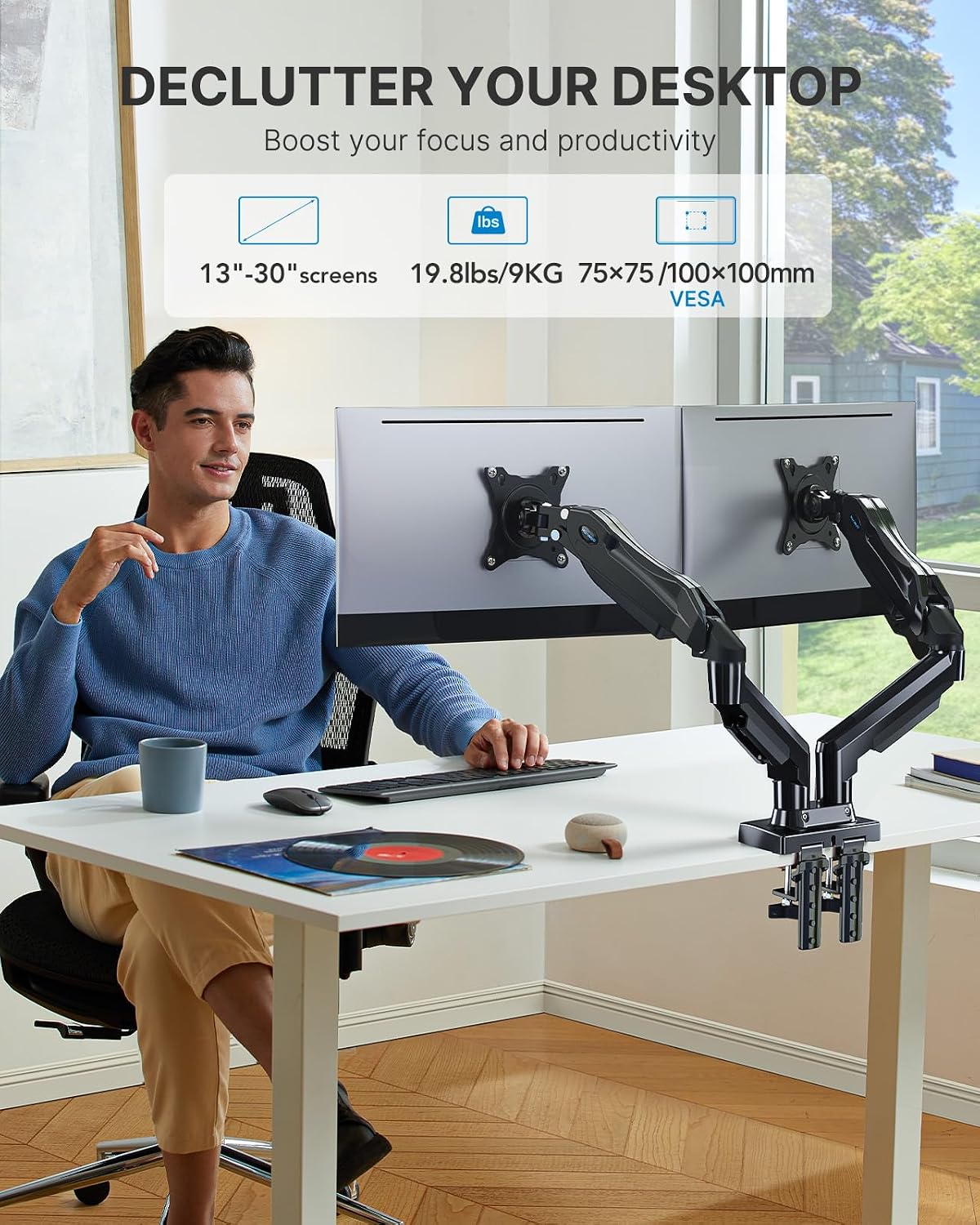
Only dual-arm product in this shortlist. 13–32″ screens; each arm 4.4–19.8 lb; VESA 75×75 / 100×100; C-clamp or grommet; desk thickness 0.59–3.54″; max arm extension 17.32″. First stop for two matched 27s in-band. |
| Single-arm alternative | Mount-It! MI-1771B gas-spring | B01MXEIA00 |
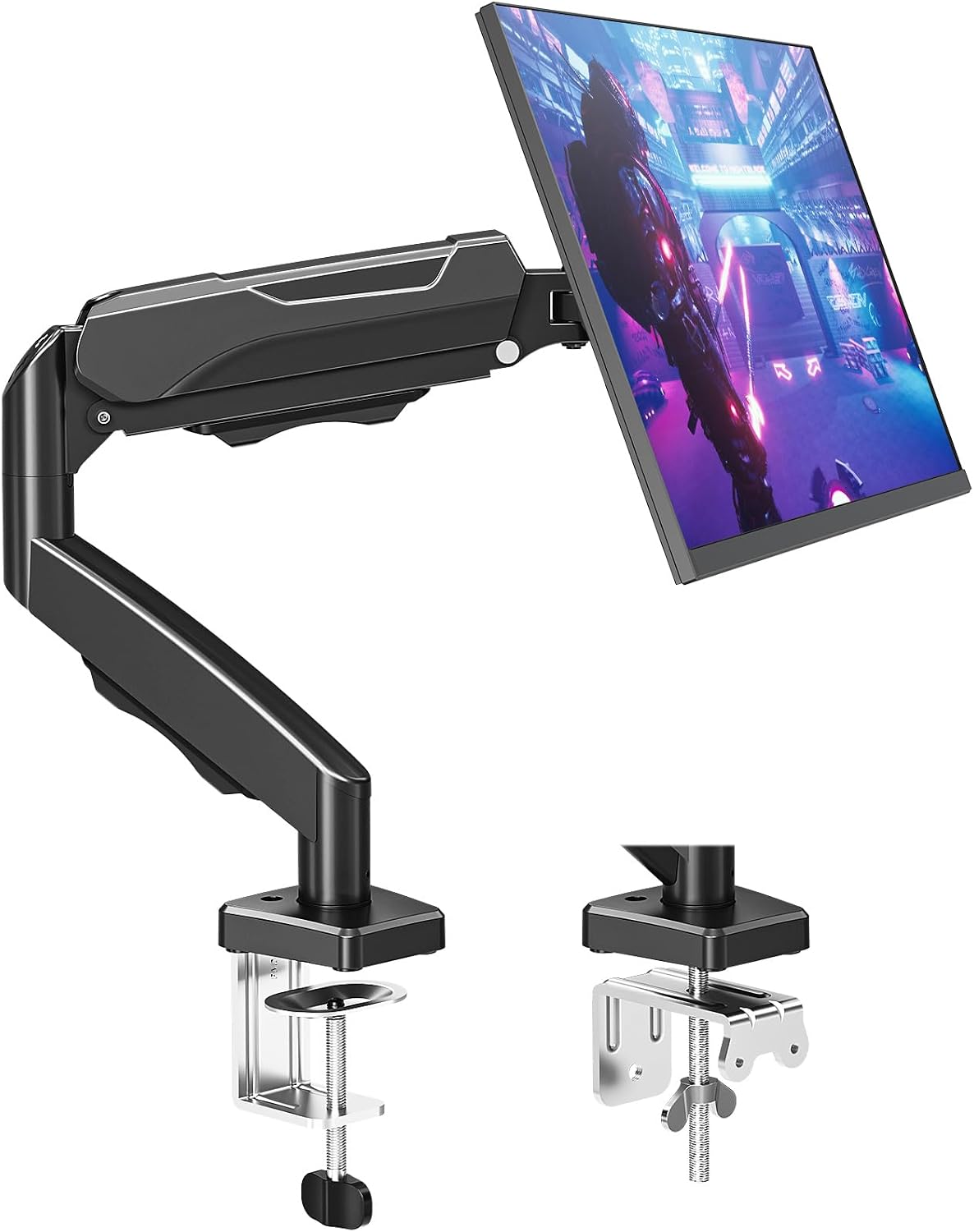
Single arm only — not a dual kit. 13–32″; up to 20 lb; VESA 75/100; clamp/grommet; ~24″ extension; desk thickness up to ~3.3″ (corroborating listing). Two units only if you accept separate clamps and footprint. |
| Budget single | Amazon Basics Single | B07DHK5DHN |
Single arm only. 13–30″; up to 22 lb; VESA 75/100; desk thickness 0.8–3.9″. Spec-fit for one heavier 27″ if VESA and clamp match — not a complete dual-27 kit. |
| Single-arm build | MOUNTUP MU0004 | B07Z7ZGHD5 |
Single arm only. 17–32″ monitors; 4.4–19.8 lb; VESA 75/100; clamp/grommet. Pick for independent clamp placement or a two-singles build; one unit holds one screen, not a dual kit. Clamp thickness and reach aren’t listed — check the live listing. |
Compare all monitor arms on our arms guide →
Mount-It! single arm on Amazon →
Amazon Basics Single on Amazon →
Buy if (HUANUO Dual): both 27s within 4.4–19.8 lb per arm, VESA 75/100, desk in the 0.59–3.54″ clamp band, and you want independent tilt/height on one dual kit.
Skip if: a monitor sits near or over 19.8 lb per arm, you need two separate premium singles, or you need longer reach than the listed 17.32″ max extension for spacing/positioning (extension is a positioning fact, not a promise of a particular gap between screens).
Independent vs crossbar arms
Not all “dual” mounts behave the same.
Independent dual (two articulating arms on one post)
HUANUO Dual (B07T5SY43L) is our dual-arm pick: each screen gets its own height, tilt, and inward angle — better for sit-stand micro-adjusts and primary/secondary layouts. Use the listed 17.32″ max extension as a spacing/positioning fact when planning how far each screen can travel from the post.
Buy if: you change desk height daily or need a tight seam with different tilts.
Skip if: you want a rigid shared “monitor bar” and never tweak independently.
Crossbar / fixed dual rails
One horizontal bar locks relative height. Alignment is fast; sit-stand fine-tuning is weaker because the pair moves together.
Buy if: identical panels, mostly one working height, equal dual look.
Skip if: sit/stand eye line shifts more than a little, or sizes/weights differ.
Two singles vs one dual
Mount-It!, Amazon Basics, and MOUNTUP in this shortlist are single-arm only. Building dual from two singles maximizes independence and clamp placement; cost and clutter rise. Prefer HUANUO Dual for most home-office dual 27 setups when both panels fit the dual’s per-arm band.
Cable slack for sit-stand
Spacing can be perfect at sitting height and fail the first time the desk rises.
Slack checklist
- Raise the desk to max standing height with monitors mounted.
- Confirm HDMI/DP, USB-C, and power never pull the VESA plate, lift a brick, or yank a dock.
- Leave a service loop sized to your sit→stand stroke (often about 12–18″ of usable slack in the travel path — measure your delta).
- Route via arm channels into a tray/spine on the moving frame, not only the wall.
- Keep heavy bricks out of the moving data loop when you can.
Failure signs: flicker at full height, arm drift after a raise, clamp walk from cable torque.
Buy if: you sit-stand often and current cables are already short.
Skip if: the desk stays locked at one height — still leave cleaning slack, but prioritize geometry over travel loops. Rule of thumb: the moving desk owns the cables.
FAQ
How far apart should two 27-inch monitors be?
Aim for inner bezels nearly touching to about 2 inches apart, then set inward angle so you are not staring across a flat wall of glass. Equal dual favors a tighter seam; primary/secondary can tolerate a bit more gap if the secondary is clearly angled in.
What desk width do I need for dual 27s?
Plan on about 55–60 inches minimum, with 60–72″ more comfortable once you add mouse space and peripherals. Under 48″ is usually a compromise layout.
Is HUANUO Dual a true dual kit for two 27s?
Yes — when both panels fit. HUANUO Dual (B07T5SY43L) is the only dual-arm product in this shortlist: 13–32″ screens, 4.4–19.8 lb per arm, VESA 75/100. Mount-It!, Amazon Basics, and MOUNTUP are single-arm only — one unit is not a two-screen kit.
How much should each monitor weigh for the HUANUO Dual?
Stay inside the listing’s per-arm range: listing specs show 4.4–19.8 lb per arm. Weigh monitors without stands, and leave margin near the top of the band.
Do I need different monitor height when I stand?
Often a small change. Standing eye height and desk presets do not always rise by the same amount. Independent arms make micro-adjusts easy; a fixed crossbar is less forgiving. Use the monitor height guide sit/stand worksheets if you want numbers.
Flat alignment or angled “V”?
Prefer a shallow V (about 15–25° inward each for equal dual). Flat parallel setups look tidy and cost more neck rotation.
Next step
Measure desk width, usable depth, per-monitor weight (no stand), VESA pattern, desk thickness against the clamp range, and cable travel at full standing height — then shop dual-first.
Open the best monitor arms for standing desks guide →
Quick Amazon checks (verify current listing specs before purchase; price and stock are not claimed here):
HUANUO Dual · Mount-It! Single · Amazon Basics Single · MOUNTUP Single
Research-based guide. Not hands-on lab testing of every desk/arm/monitor combination. Always verify current manufacturer specs, weight limits, clamp range, and Amazon listing details before purchase. As an Amazon Associate, WorkspaceWisePro may earn from qualifying purchases.