Specs come from Amazon listing / manufacturer About facts in the Affiliate comparison pack. This is a research-based side-by-side for fit — not a claim that we lab-tested every product. Missing pack specs stay as —. Prices and stock move; confirm on Amazon before you buy.
As an Amazon Associate, WorkspaceWisePro may earn from qualifying purchases.
Research-based comparison · Marcus Webb · WorkspaceWisePro · Updated September 23, 2026 (IDT)
Trust line: Specs below come from Amazon listing / manufacturer About facts in the Affiliate comparison pack (Track A + Stage 3 Fit Guide reuse, 2026-09-23). This is a research-based side-by-side for standing-desk monitor fit — not a claim that we bolted every arm in a lab. Confirm panel weight without the stand, VESA, and desk thickness on the live Amazon listing before you buy. Price and stock are not claimed here.
Intro + who this is for
This page answers one common fork: one premium single arm (including many ultrawides ≤34″) versus two screens on a dual mount (≤32″ per arm).
| Arm | Role | ASIN |
|---|---|---|
| Ergotron LX (classic, polished aluminum) | Best overall single | B00V5HHDPW |
| HUANUO FlowLift Dual | Best dual | B07T5SY43L |
Classic LX only — this comparison uses B00V5HHDPW, not LX Pro B0DSJJMRFL.
Who this is for: standing-desk / monitor-arm readers choosing between a long-warranty single and a dual-arm kit for two lighter screens on a wood desk.
Who should skip this page: anyone shopping a full shortlist first — start on 5 best monitor arms for standing desks or the 32-inch monitor arms fit guide.
Check Amazon Price — Ergotron LX
Check Amazon Price — HUANUO Dual
Quick verdict
| Need | Lean |
|---|---|
| One screen (incl. many ultrawides ≤34″) in 7–25 lb, VESA 75/100, and a published 10-year warranty | Ergotron LX |
| Two screens each 13–32″ and 4.4–19.8 lb per arm, VESA 75/100, on a wood desk in clamp range | HUANUO Dual |
Clear winner guidance: LX when the job is a single stable arm (especially ultrawide ≤34″ inside 7–25 lb). HUANUO when the job is two matched screens inside the dual’s per-arm bands on wood. They solve different layouts — do not force a dual kit onto one heavy ultrawide, or a single LX onto two screens.
Comparison table
| Spec | Ergotron LX B00V5HHDPW | HUANUO Dual B07T5SY43L |
|---|---|---|
| Config | Single | Dual |
| Max screen size | Up to 34″ | 13–32″ per screen |
| Weight per arm | 7–25 lb | 4.4–19.8 lb / arm |
| VESA | 75×75 / 100×100 | 75×75 / 100×100 |
| Clamp / desk thickness | Clamp 0.4–2.4″; grommet ≤2.25″ | 0.59–3.54″ (wood recommended; plastic/glass not) |
| Height raise | Lift 13″ / up to 17.3″ above worksurface | Up to 15.75″ |
| Tilt | 75° | +85° / −50° |
| Reach (horizontal) | — | — |
| Mech | Constant Force | FlowLift full-motion |
| Warranty | 10-year | Not listed |
Ergotron LX — deep dive
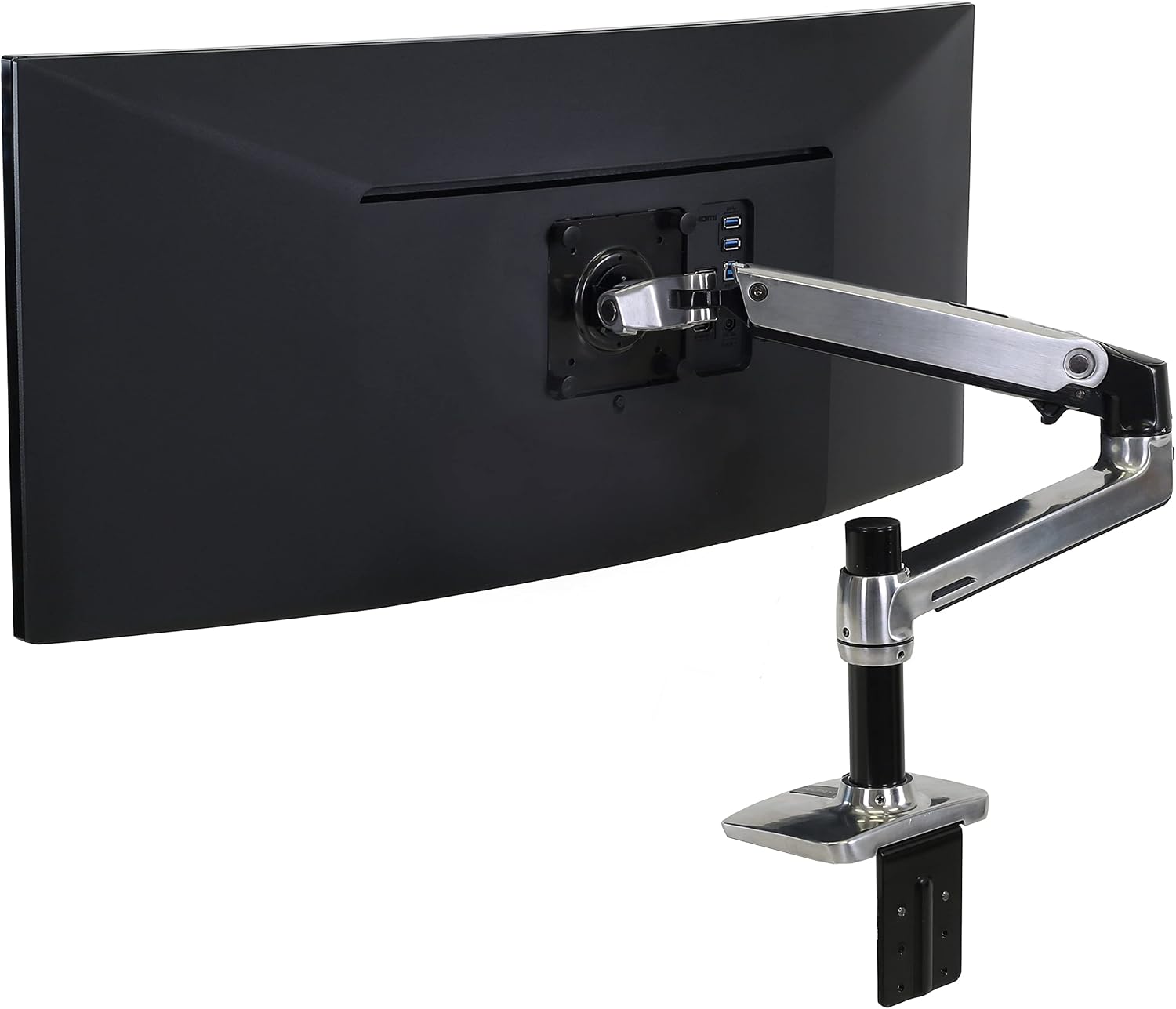
Amazon title (verbatim): Ergotron – LX Monitor Arm, Single Monitor Desk Mount – fits Flat Curved Ultrawide Computer Monitors up to 34 Inches, 7 to 25 lbs, VESA 75x75mm or 100x100mm – Polished Aluminum
| Spec | Detail |
|---|---|
| ASIN | B00V5HHDPW |
| Color / variant | Polished aluminum · classic LX (not LX Pro) |
| Config | Single arm |
| Max screen | Up to 34″ |
| Weight | 7–25 lb |
| VESA | 75×75 / 100×100 |
| Clamp | Desk clamp 0.4–2.4″; grommet to 2.25″ |
| Height raise | Lift 13″ / raise up to 17.3″ above worksurface |
| Tilt | 75° |
| Reach (horizontal) | Not listed |
| Mech | Constant Force |
| Warranty | 10-year |
Buy if (Ergotron LX)
- One monitor (incl. many 34″ ultrawides) in 7–25 lb with VESA 75/100.
- You want the long 10-year warranty and a stable classic LX on a sit-stand desk.
Skip if (Ergotron LX)
- You need dual screens now.
- Monitor is >25 lb or >34″.
- You only need a cheap budget arm.
HUANUO FlowLift Dual — deep dive
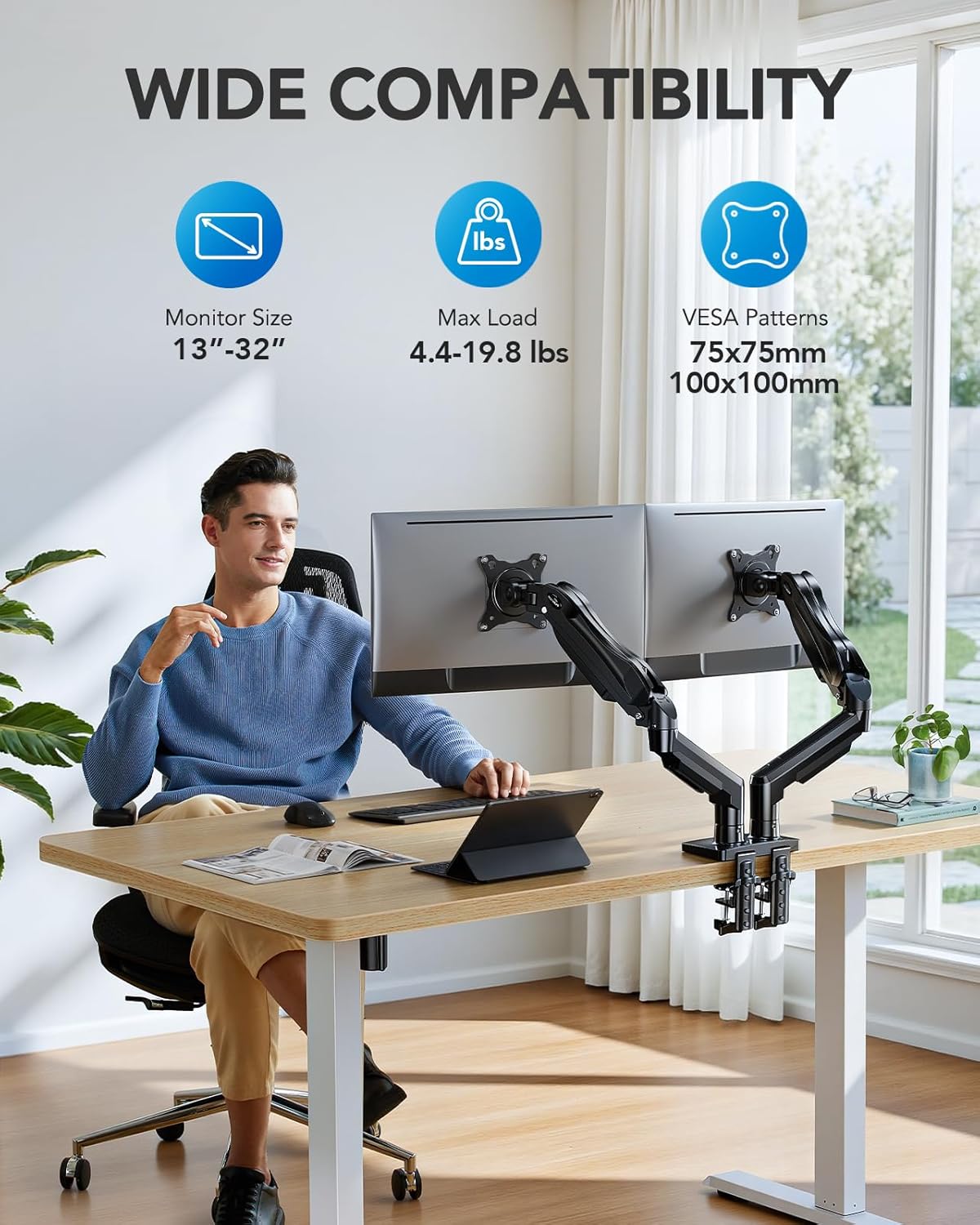
Amazon title (verbatim): HUANUO FlowLift™ Dual Monitor Stand, Fully Adjustable Gaming Monitor Desk Mount for 13–32″ Computer Screens, Full Motion VESA 75×75/100×100 with C-Clamp & Grommet Base, Each Arm Holds 4.4… (title may truncate; About confirms ranges)
| Spec | Detail |
|---|---|
| ASIN | B07T5SY43L |
| Config | Dual arm · C-clamp / grommet |
| Screen size | 13–32″ per screen |
| Weight | 4.4–19.8 lb per arm |
| VESA | 75×75 / 100×100 |
| Clamp | Desk thickness 0.59–3.54″ (wood recommended; plastic/glass not) |
| Height raise | Raise monitor up to 15.75″ |
| Tilt | +85° / −50° |
| Reach (horizontal) | Not listed |
| Mech | Full-motion FlowLift arms |
| Warranty years | — (not stated in About bullets — omitted on purpose) |
Buy if (HUANUO Dual)
- Two screens each within 13–32″ and 4.4–19.8 lb with VESA 75/100.
- Wood desk in the clamp range.
Skip if (HUANUO Dual)
- One monitor only.
- Glass / plastic desk.
- A screen outside the per-arm weight or size band.
- You need published brand warranty years on the About listing.
Will it clamp to your desk?
Most monitor-arm returns come down to the clamp, not the arm. Before choosing either one, measure three things at the spot where the clamp will go: the thickness of the desktop edge, what’s directly underneath it (a frame rail, cable tray or drawer), and whether there’s a gap behind the desk for the arm to swing.
- Ergotron LX: desk clamp fits desks 0.4–2.4″ thick; grommet mount fits desks up to 2.25″ thick.
- HUANUO Dual: clamp fits desks 0.59–3.54″ thick; the listing says wooden desks only (not glass or plastic), with no cross beam under the clamp.
- Standing desks: many electric desks have a crossbar or cable tray near the back edge. Check the clamp plate has a flat, solid surface underneath, and move it along the edge if the frame is in the way.
- Thin or soft desktops: a reinforcement plate spreads the load so the clamp doesn’t dent or crack the top.
Which is steadier on a standing desk?
At standing height, a desk sways more than when it’s lowered, and a monitor on an arm amplifies that movement because the weight sits out from the clamp. Three things decide how much your screen shakes when you type:
- Load at the clamp. One arm holding one screen puts its weight at a single point. A dual mount carries two screens on one pole, so total weight is higher: the LX takes 7–25 lb on its single arm vs the HUANUO takes 4.4–19.8 lb on each of its two arms.
- How far the screen sits out. The further you extend an arm, the more a small desk wobble turns into screen bounce. Keep screens pulled in as close as is comfortable.
- Monitor weight vs the arm’s range. A screen near the bottom of an arm’s range can drift up; near the top it can sag. Aim for the middle of the range.
If your desk itself wobbles, fix that first: how to fix a wobbly standing desk.
Which to buy if…
| If you… | Better fit |
|---|---|
| Use one main screen, including an ultrawide up to 34″ | Ergotron LX |
| Use two similar screens, each 13–32″ | HUANUO Dual |
| Have a desk thicker than 2.4″ | HUANUO Dual (clamps up to 3.54″, wooden desks only) |
| Have a glass or plastic desktop, or a cross beam right under the clamp spot | Skip the HUANUO Dual (its listing says wooden desks only, no cross beam under the clamp) |
| Care most about a long published warranty | Ergotron LX (10-year warranty vs HUANUO’s 5-year) |
| Might add a second screen later | HUANUO Dual, or one LX now and a second matching arm later |
Still deciding? See all five picks in the best monitor arms for standing desks.
FAQ
Which should I buy — LX or HUANUO Dual?
LX for one screen / many ultrawides ≤34″ inside 7–25 lb with a 10-year warranty. HUANUO Dual for two screens 13–32″ / 4.4–19.8 lb per arm on wood. Match the layout first; price second.
Can HUANUO Dual hold two 34″ ultrawides?
Outside what either arm is rated for. HUANUO is 13–32″ per screen and 4.4–19.8 lb per arm. Heavy dual ultrawides are outside this comparison — use the 32″ monitor arms guide (Ergotron LX covers many panels ≤34″ by weight/VESA) and the standing-desk arms hub until the dedicated ultrawide weight/VESA guide ships.
Does Ergotron LX work on a standing desk?
Yes when desk thickness is in the clamp 0.4–2.4″ (or grommet ≤2.25″) range and the panel is inside 7–25 lb. Leave cable slack for sit/stand travel — more context on the standing-desk arms hub.
Why is horizontal reach blank?
Both listings leave horizontal reach missing on About. We mark — rather than invent extension inches.
How do I confirm weight before ordering?
Weigh (or look up) panel weight without the stand, then add hanging accessories. Confirm each panel’s weight without stand before recommending either arm.