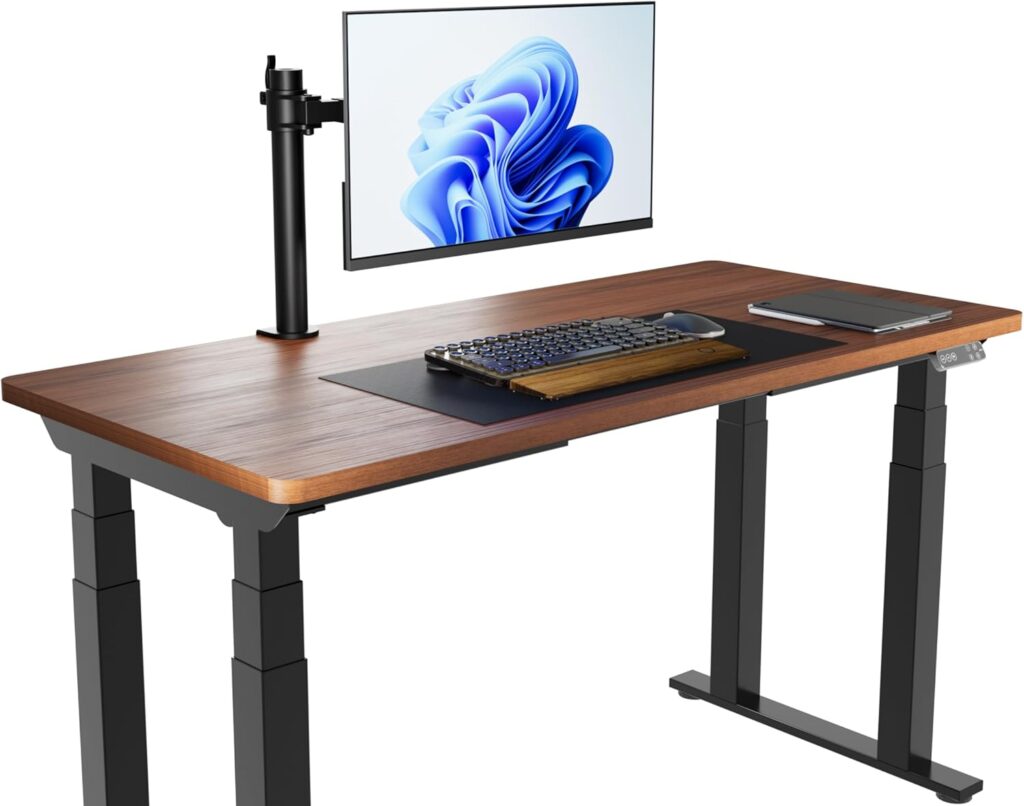
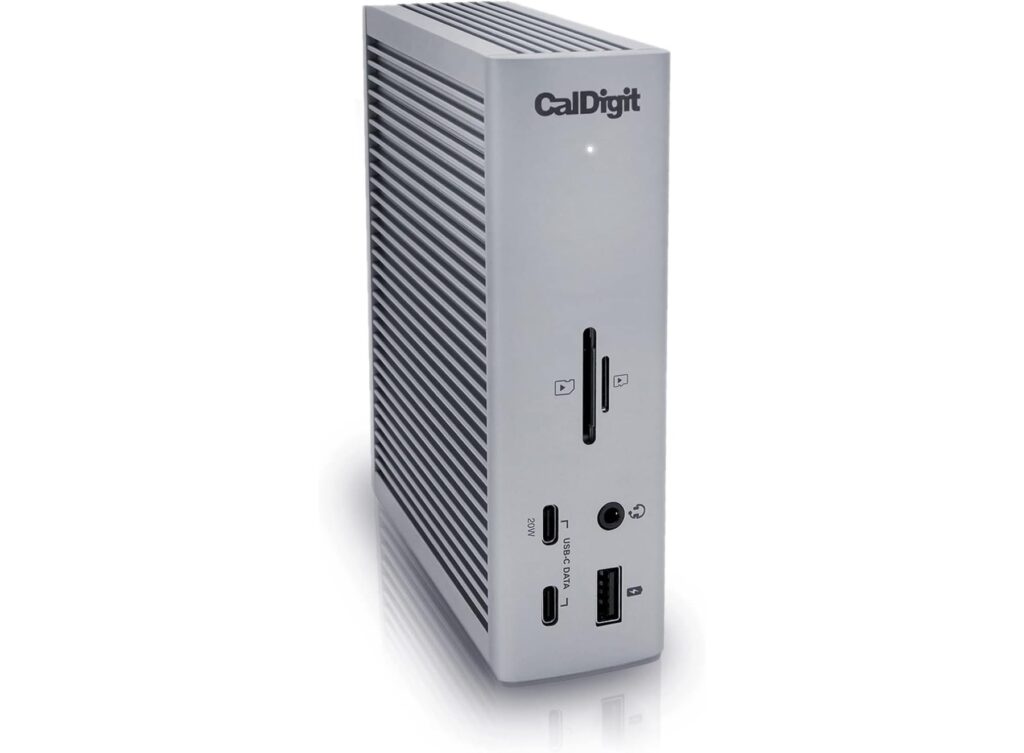
Specs below come from Amazon listing and manufacturer product facts (checked 5 Oct 2026). This is a research-based shortlist for home-office laptop docks — not a claim that we lab-tested every model. Anker 575 and CalDigit TS3 Plus are listed for comparison only when Amazon isn’t offering a clear buy button; they have no Check Price links here. Prices and stock move — confirm on Amazon before you buy.
As an Amazon Associate, WorkspaceWisePro may earn from qualifying purchases.
Research-based shortlist · Marcus Webb · WorkspaceWisePro · Updated October 5, 2026 (IDT)
Trust line: Specs below come from Amazon listing and manufacturer product facts (checked 5 Oct 2026). This is a research-based shortlist for home-office laptop docks — not a claim that we lab-tested every model. Anker 575 and CalDigit TS3 Plus are listed for comparison only when Amazon isn’t offering a clear buy button; they have no Check Price links here. Prices and stock move — confirm on Amazon before you buy.
Quick answer: For most Thunderbolt 4 / USB4 laptops — MacBook or Windows — the CalDigit TS4 is the pick: 18 ports, 98W charging and 2.5GbE on one cable. If you need three monitors (including on a base M-series MacBook), choose a DisplayLink dock like the Plugable UD-ULTC4K; for two 4K screens on an M4/M5 MacBook without drivers, the Plugable TBT4-UDZ.
Intro + who this is for
A docking station turns a laptop into a full desk setup with one cable: plug in once and you get monitors, keyboard, mouse, webcam, wired internet and laptop charging. The catch is that a dock is only as capable as the laptop port it plugs into — so this guide starts with your port, then the dock.
Who this is for: remote workers and students who move a laptop between the couch, the office and a home desk with one or more external monitors.
Who should skip this page: if your real problem is screen height or reach, start with the monitor height guide and best monitor arms for standing desks. A dock adds ports; it does not fix ergonomics.
Fit-first order: (1) monitor position — dual monitor setup guide, (2) one-cable connectivity (this page), (3) cable tidy — how to manage cable clutter on your desk.
Stock note (5 Oct 2026): CalDigit TS4, Plugable TBT4-UDZ, Plugable UD-ULTC4K, Anker Prime DL7400 and the Anker 13-in-1 dock were buyable (In Stock + Add to Cart) when we checked. Anker 575 was Currently unavailable and CalDigit TS3 Plus showed no buy box — no Check Price links for either.
Quick picks (Amazon-only)
| Role | Product | ASIN | CTA |
|---|---|---|---|
| Best overall / Thunderbolt 4 | CalDigit TS4 (Space Gray) | B09GK8LBWS | Check Amazon Price |
| Best dual 4K on MacBook | Plugable TBT4-UDZ 16-in-1 | B0BQJWKBMF | Check Amazon Price |
| Best triple monitor (DisplayLink) | Plugable UD-ULTC4K 13-in-1 | B0779K9DG2 | Check Amazon Price |
| Best premium triple / 140W | Anker Prime DL7400 | B0DTSZC5Y7 | Check Amazon Price |
| Best value for Windows | Anker 13-in-1 USB-C dock | B088F7SY6S | Check Amazon Price |
| Budget (comparison only) | Anker 575 12-in-1 | B0BNZ4RY3D | No Check Price link — Amazon wasn’t offering a clear buy button when we checked |
| Previous-gen (comparison only) | CalDigit TS3 Plus | B07CZPV8DF | No Check Price link — Amazon wasn’t offering a clear buy button when we checked |
How to choose a USB-C docking station
- Identify your laptop port first. Thunderbolt 3/4/5 and USB4 ports carry video, data and charging at high bandwidth. A plain USB-C port must support DisplayPort Alt Mode (video) and USB Power Delivery (charging) to drive monitors and charge through a dock — some USB-C ports are data-only. Check your laptop’s spec sheet.
- Thunderbolt vs USB-C dock. The Thunderbolt 4 docks here list 40Gb/s links and extra Thunderbolt ports; the USB-C docks here list a 10Gbps host link. Thunderbolt docks generally also work on USB-C laptops, but performance is capped by the host port (CalDigit states this on its listing).
- Power delivery. Compare the dock’s laptop charging figure (85W–140W in this shortlist) with your laptop’s charger. If the dock supplies less than your charger, the laptop may charge more slowly under heavy load.
- Displays — the Mac gotcha. Base M1/M2/M3 MacBooks support a limited number of external displays natively (the CalDigit and Plugable listings note single-display limits on those chips). DisplayLink docks use driver software to add more screens. Windows laptops can also use MST to run several monitors from one USB-C link, but macOS mirrors instead of extending (Anker states this on its 13-in-1 listing).
- DisplayLink trade-offs. A driver install is required, and listings note protected (DRM / HDCP) streaming may not play on DisplayLink outputs.
- Desk extras: wired Ethernet (1GbE vs 2.5GbE), SD readers, front-facing USB-C, and the included host cable length (standing desks need slack).
Selection is research-based. We don’t lock a street price into this page — use the Check Price buttons for the current Amazon listing.
Comparison table
Prices and stock change — use Check Price for the current Amazon listing. Cells with — mean the listing doesn’t publish that fact.
| Product | Buy | Host link | Laptop charging | Displays (per listing) | Ports / extras |
|---|---|---|---|---|---|
CalDigit TS4 B09GK8LBWS | Live pick | Thunderbolt 4 (40Gb/s); TB3 / USB4 / USB-C compatible | 98W | Win single 8K / dual 4K60; Mac single 6K60; M Pro/Max/Ultra dual 6K60; M1–M3 base single | 18 ports; 3× TB4; 8× USB 10Gb/s; 2.5GbE; SD + microSD UHS-II |
Plugable TBT4-UDZ B0BQJWKBMF | Live pick | Thunderbolt 4 (1 m 40Gbps cable); TB5 / USB4 / USB-C | 100W (98W certified per Plugable) | Dual 4K60 driverless (M4/M5, Win, USB4); Plugable table: up to 4 on TB4 Windows | 16-in-1; 2× HDMI + 2× DP; 7 USB; 2.5GbE; SD/microSD |
Plugable UD-ULTC4K B0779K9DG2 | Live pick | USB-C 10Gbps; TB / USB4 compatible | 100W (96W certified) | Up to 3× 4K60 (DisplayLink driver on macOS) | 13-in-1; 3× HDMI + 3× DP; front USB-C 10Gbps/20W; GbE; HDCP not supported |
Anker Prime DL7400 B0DTSZC5Y7 | Live pick | USB-C 10Gbps (included cable) | 140W (PD 3.1 laptop) | 3× 4K (DisplayLink driver) | 14 ports; 3× front USB-C 100W; 2.5GbE; smart display; fan |
Anker 13-in-1 B088F7SY6S | Live pick | USB-C / USB4 / TB3–5 (needs DP Alt Mode + PD) | 85W (135W adapter incl.) | 3× 1080p60 or 1× 4K60 (Win / ChromeOS MST); Mac mirror only | 2× HDMI + DP; 3× USB-C; 3× USB-A 5Gbps; GbE; SD/microSD |
Anker 575 B0BNZ4RY3D | Comparison only | USB-C 10Gbps | 85W pass-through (charger not incl.) | Triple 2K60; listing: not MacBook compatible | No Check Price link — prefer TS4 if you want a current CalDigit buy path |
CalDigit TS3 Plus B07CZPV8DF | Comparison only | Thunderbolt 3 | 87W | Dual 4K60 or single 5K | No Check Price link — prefer TS4 if you want a current CalDigit buy path |
1. CalDigit TS4 — Best overall / best Thunderbolt 4 dock
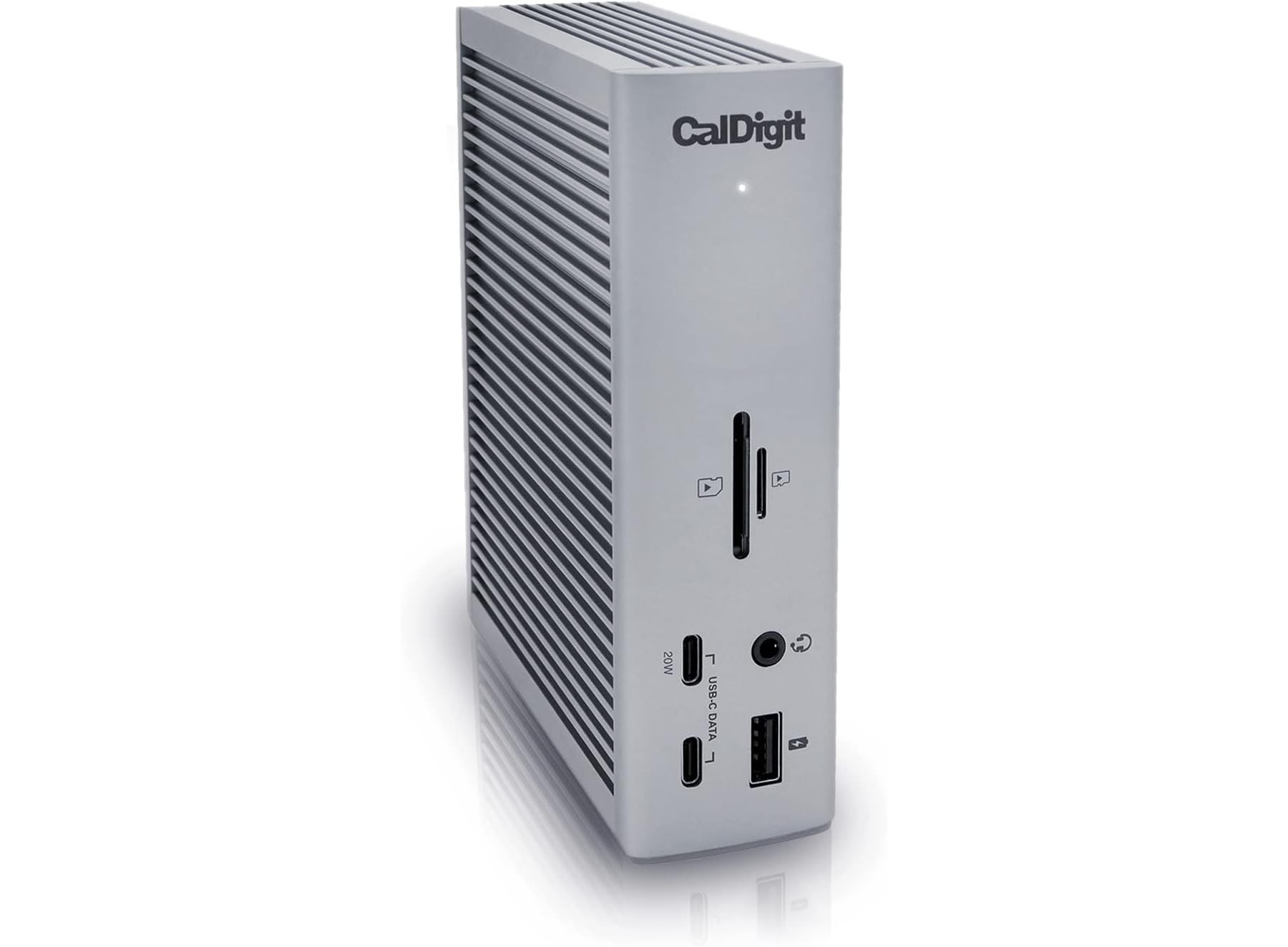
Role: Best overall · Best Thunderbolt 4 for Mac + Windows · ASIN: B09GK8LBWS · Brand: CalDigit · Color: Space Gray · Model: TS4-US 500971
Amazon title (verbatim): CalDigit TS4 18 Port Thunderbolt 4 Dock, 98W Charging, 3X TBT4 (40Gb/s), 3X USB-C + 5X USB-A (10Gb/s), 2.5GbE LAN, 8K@30Hz or 2X 6K@60Hz Displays, Mac/Windows/Chrome, Space Gray, 0.8m Certified Cable
The TS4 is the “plug in once and forget it” dock on this list: three Thunderbolt 4 ports, eight 10Gb/s USB ports, DisplayPort 1.4, SD and microSD readers and 2.5GbE, with 98W of laptop charging over the single host cable.
| Field | Listing fact |
|---|---|
| Ports | 18 — DisplayPort 1.4; 8× USB 10Gb/s (3× USB-C + 5× USB-A); 3× Thunderbolt 4 (40Gb/s); SD + microSD 4.0 UHS-II; 3× audio; 2.5GbE; security slot |
| Laptop charging | 98W |
| Displays | Windows single up to 8K, dual 4K 60Hz; macOS single up to 6K 60Hz; M1–M4 Pro / Max / Ultra dual 6K 60Hz; M1–M3 non-Pro Macs single display only |
| Compatibility | Thunderbolt 4 / 3, USB4, USB-C (port must support data + video + power); performance capped by host; use supplied certified cable (0.8 m) |
| Ethernet | 2.5GbE (needs Thunderbolt host + 2.5GbE network gear for full speed) |
| Dims / weight | 4.46″L × 1.65″W × 5.55″H; 1.4 lb; warranty 2 Year Manufacturer |
Buy if (CalDigit TS4)
- You have a Thunderbolt 4 / USB4 laptop (MacBook or Windows) and want the most ports, 98W and 2.5GbE on one cable.
- You run one large display, or two on a Pro / Max Mac or Windows laptop.
Skip if (CalDigit TS4)
- You need three external monitors on a base M-series Mac — choose a DisplayLink dock (UD-ULTC4K or Anker Prime).
- Your laptop needs more than 98W (Anker Prime lists 140W).
Tradeoff: Most complete Thunderbolt port set in this shortlist vs no triple-monitor path on base Macs.
2. Plugable TBT4-UDZ — Best for dual 4K on MacBook
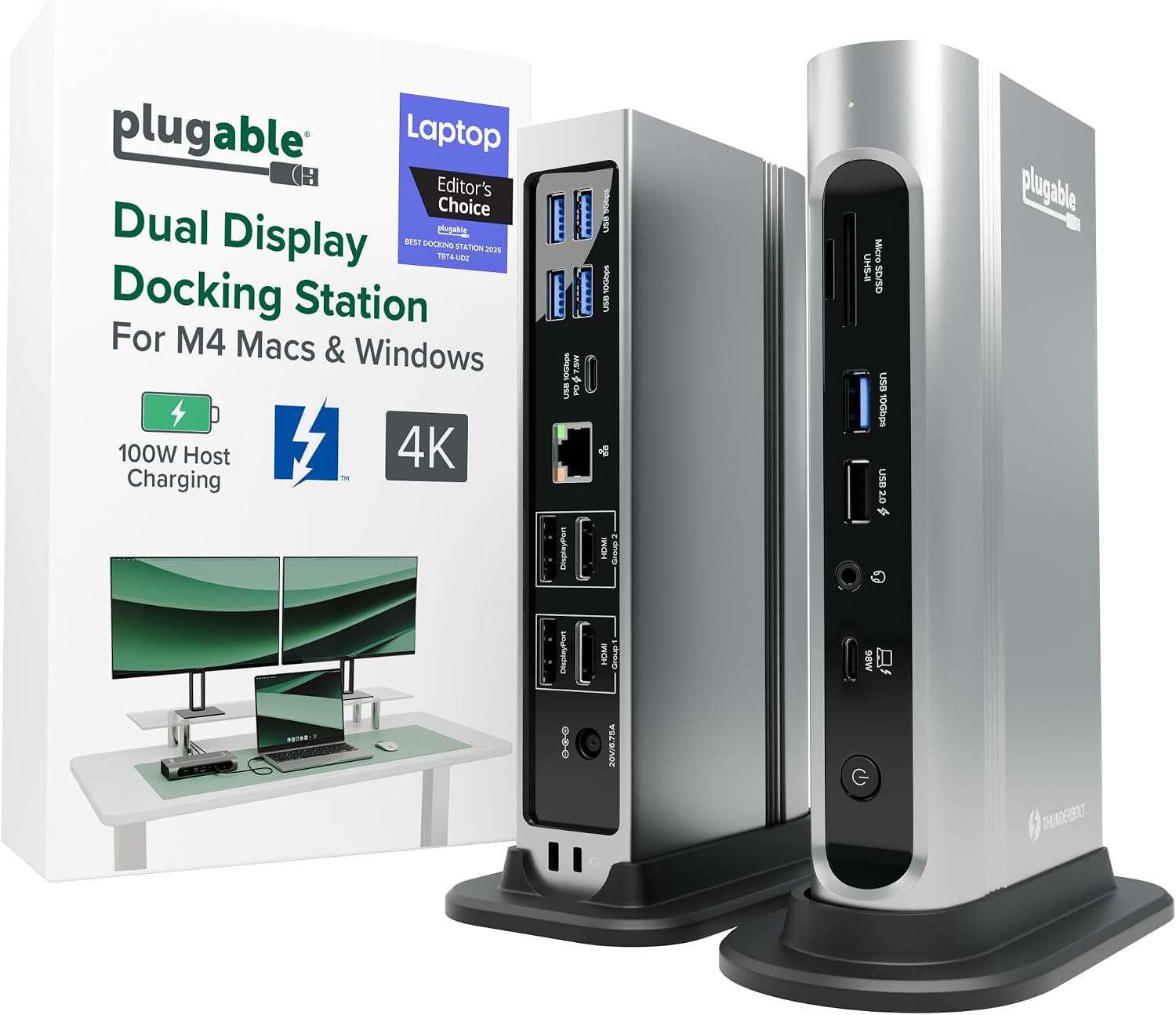
Role: Best dual 4K on M4/M5 MacBooks · ASIN: B0BQJWKBMF · Brand: Plugable · Color: Silver · Model: TBT4-UDZ
Amazon title (verbatim): Plugable 16-in-1 Thunderbolt 4 Dock – Dual 4K Monitors, 100W Charging
| Field | Listing fact |
|---|---|
| Displays | Dual 4K 60Hz via HDMI or DisplayPort, no drivers (M4/M5 Macs, Windows, USB4); video outputs 2× HDMI + 2× DP; base M3 needs clamshell mode for dual |
| Max displays (manufacturer) | Plugable table: 2 on Thunderbolt 4 Mac, 4 on Thunderbolt 4 Windows (Amazon bullets describe dual 4K) |
| Laptop charging | 100W Power Delivery (98W certified per Plugable); auto-adjusts for lower-power laptops |
| Ports | 16-in-1 — 7 USB; 2.5Gbps Ethernet; SD/microSD; audio |
| Cable / compatibility | Included Thunderbolt 4 cable 40Gbps, 3.3 ft / 1 m; Thunderbolt 5 / 4, USB4, USB-C; macOS 11+, Windows 10+ |
| Dims / weight | 4.1″L × 1.4″W × 7.7″H; 646 g; warranty 2 Year Limited Parts and Labor |
Buy if (TBT4-UDZ)
- You have an M4/M5 (or Pro / Max) MacBook and two 4K monitors, with a mix of HDMI and DisplayPort inputs.
- You want dual-display setup without driver software.
Skip if (TBT4-UDZ)
- You have a base M1/M2 Mac and want two screens (host limit — use a DisplayLink dock).
- You want downstream Thunderbolt ports for drives (TS4 lists three).
Tradeoff: Flexible dual HDMI + dual DisplayPort video, driverless, vs fewer Thunderbolt downstream ports than the TS4.
3. Plugable UD-ULTC4K — Best triple-monitor dock (DisplayLink)
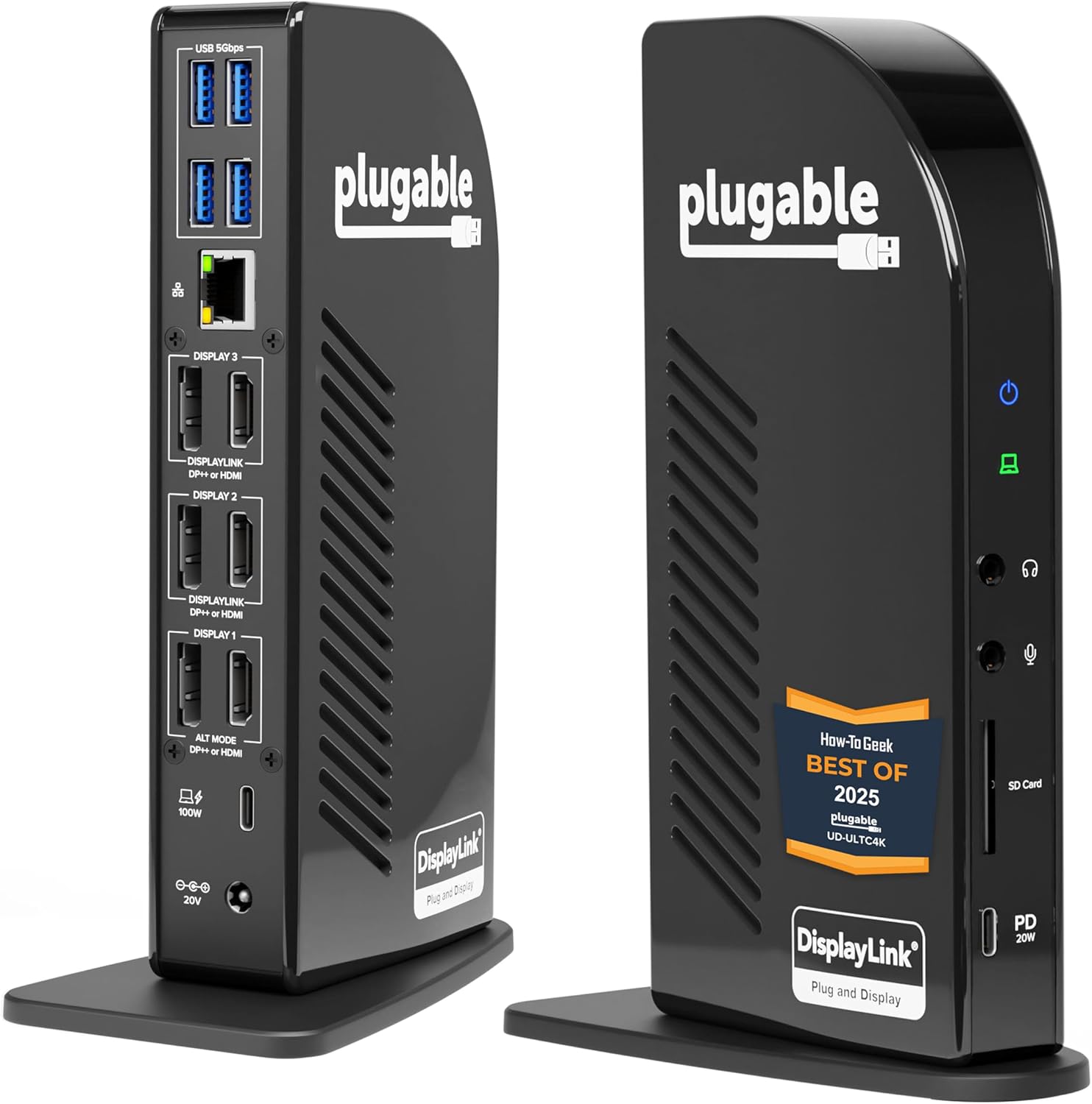
Role: Best triple monitor · ASIN: B0779K9DG2 · Brand: Plugable · Model: UD-ULTC4K
Amazon title (verbatim): Plugable 13-in-1 USB C Docking Station 4K Triple Monitor with 100W Charging
| Field | Listing fact |
|---|---|
| Displays | Up to three 4K 60Hz monitors; 3× HDMI + 3× DisplayPort outputs (mix and match) |
| Host link | Single 10Gbps USB-C connection; works with Thunderbolt, USB4 or USB-C laptops |
| Laptop charging | 100W Power Delivery (96W certified); front USB-C accessory port 10Gbps / 20W |
| Software | DisplayLink drivers required on macOS (Screen Recording permission; listing says no screen recording occurs); HDCP not supported |
| OS | Windows 10+, macOS 11+ (overview also lists 10.15.x+), ChromeOS 100+ |
| Dims / weight | 4.72″L × 2.64″W × 6.89″H; 486 g; warranty 2 Year Limited Parts and Labor |
Buy if (UD-ULTC4K)
- You need three external monitors — including on a base M-series MacBook or a USB-C laptop without Thunderbolt.
Skip if (UD-ULTC4K)
- You stream DRM-protected video on the external screens (HDCP not supported).
- You would rather not install driver software.
Tradeoff: Three 4K screens on almost any laptop vs DisplayLink driver + no HDCP.
4. Anker Prime DL7400 — Best premium triple display / 140W charging
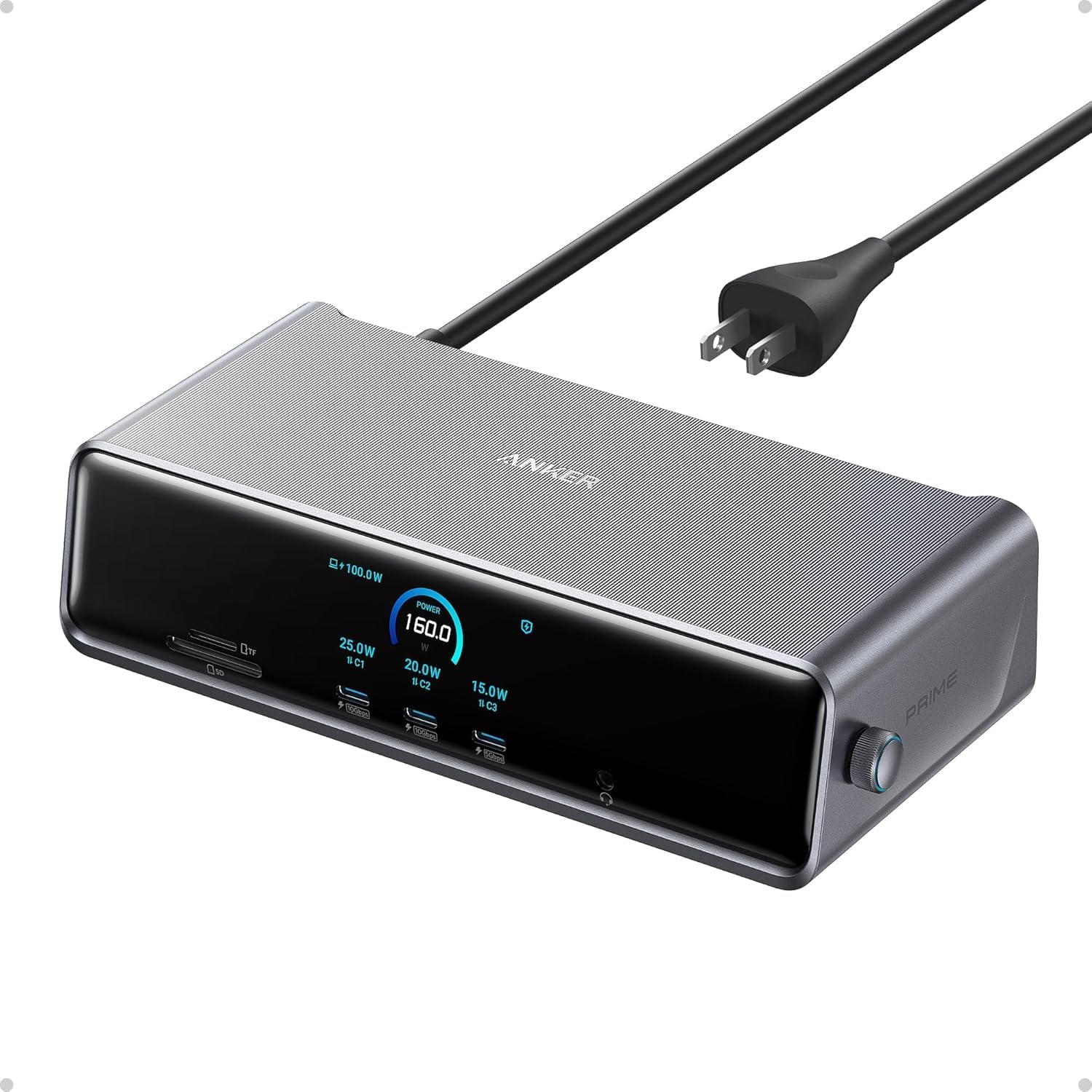
Role: Best premium triple display · Highest laptop charging in this shortlist · ASIN: B0DTSZC5Y7 · Brand: Anker · Color: Phantom Gray · Model: A83B3 (Anker)
Amazon title (verbatim): Anker Prime Docking Station (DL7400), 14-in-1 Triple Display, DisplayLink
| Field | Listing fact |
|---|---|
| Ports | 14 — 140W 10Gbps USB-C upstream; 2× 100W 10Gbps USB-C; 1× 100W 5Gbps USB-C; 2× HDMI; 1× DisplayPort; 2× 5Gbps USB-A; 1× 480Mbps USB-A; 2.5Gbps Ethernet; headphone/mic jack; SD + TF |
| Displays | Three external monitors in 4K (latest DisplayLink driver required); front USB-C ports do not carry video |
| Laptop charging | Up to 140W (Anker: laptop must support PD 3.1, and no more than one device on the front USB-C ports); 160W total |
| Extras | Smart display (charging / display / fan status); built-in fan + ActiveShield 3.0; included 3.3 ft 10Gbps upstream cable; 24-month warranty |
| OS (conflict) | Amazon listing: Windows 10/11. anker.com: Windows 10/11 and macOS 13.5 or later |
| Dims / weight | 7.67″L × 3.62″W × 1.89″H; 834.1 g |
Buy if (Anker Prime)
- You want triple displays plus the highest laptop charging in this shortlist and a live status screen.
- You charge a phone or tablet from the front at up to 100W.
Skip if (Anker Prime)
- You need Thunderbolt downstream ports.
- You watch DRM-protected streaming on the external screens (listing notes DisplayLink may show a black screen).
Tradeoff: Most power and front-port charging vs DisplayLink driver dependence; macOS support differs between Amazon and Anker’s own page.
5. Anker 13-in-1 USB-C Docking Station — Best value for Windows
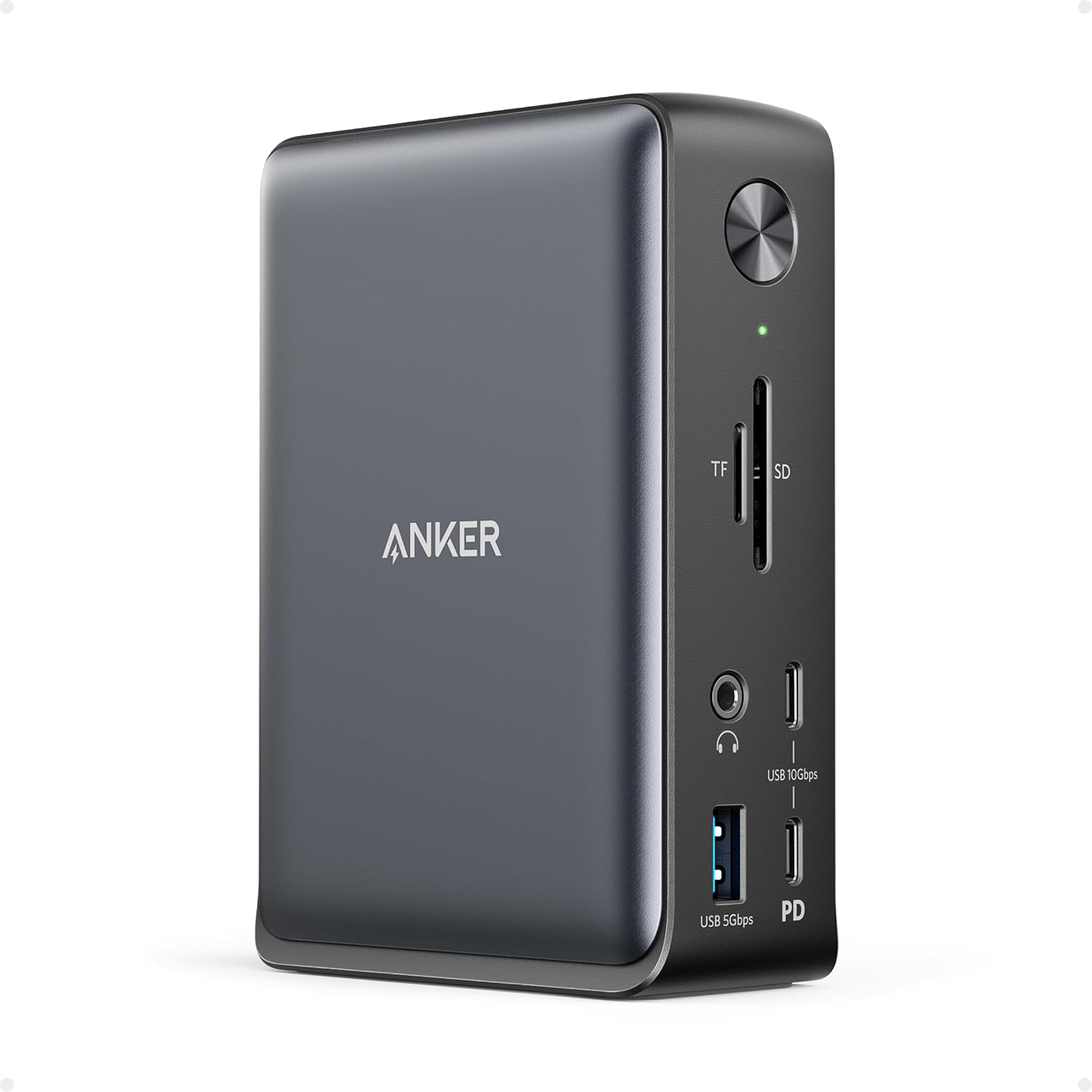
Role: Best value Windows triple display · ASIN: B088F7SY6S · Brand: Anker · Color: Gray
Amazon title (verbatim): Anker Laptop Docking Station, 13-in-1 USB C Docking Station, Triple Display
| Field | Listing fact |
|---|---|
| Ports | 13 — 2× HDMI, DisplayPort, 3× USB-C (85W host, 18W PD, 10Gbps data), 3× USB-A 5Gbps, Gigabit Ethernet, SD/microSD (104 MB/s), 3.5mm audio, DC-IN |
| Power | 85W to the laptop; 135W power adapter included |
| Displays | Up to 3× 1080p@60Hz or a single 4K@60Hz; extended triple on Windows 10/11 and ChromeOS via MST |
| Mac note | Charging / data work, but macOS limits monitors to mirror mode |
| Size / warranty | 4.9 × 3.5 × 1.6 in; 13.1 oz; 18-month warranty |
Buy if (Anker 13-in-1)
- You have a Windows laptop with full-function USB-C and want three 1080p screens or one 4K at a lower tier than Thunderbolt docks.
Skip if (Anker 13-in-1)
- You use a MacBook and want extended (not mirrored) multi-monitor.
- Your laptop needs more than 85W.
Tradeoff: Value triple-1080p on Windows vs mirror-only on Mac and lower charging.
6. Comparison only: Anker 575 and CalDigit TS3 Plus
Role: Reference only · ASINs: B0BNZ4RY3D (Anker 575) · B07CZPV8DF (CalDigit TS3 Plus) · Status: currently unavailable / no buy box
Anker 575 USB-C Hub (12-in-1) showed Currently unavailable when we checked on 5 Oct 2026; its listing also says it is not compatible with MacBooks. CalDigit TS3 Plus (Thunderbolt 3, 87W) showed no buy box (no Add to Cart). No Check Price links for either on this page.
For a buyable CalDigit today, use the TS4 B09GK8LBWS above; for Windows value, the Anker 13-in-1 B088F7SY6S.
Desk setup notes (monitors + cables)
- Position screens first — dual monitor setup guide and monitor height guide.
- Tight room with two screens: small home office setup for two monitors.
- Laptop open beside external monitors: raise it with a laptop stand.
- Need clearance or reach: best monitor arms for standing desks.
- Standing desk users: leave slack in the dock’s host cable for the full travel — best electric standing desks and cable clutter guide.
- Lighting the desk once the screens are set: best monitor light bar.
Mac display reminder: base M1–M3 MacBooks are listed as single external display over Thunderbolt; for two or three screens on those, the DisplayLink docks above (UD-ULTC4K, Anker Prime) are the listed path.
FAQ
Is a USB-C hub the same as a docking station?
Not quite. Hubs are usually compact and often rely on pass-through charging from your own charger (the Anker 575 listing says its charger is not included). The docks on this page ship with their own power and target a permanent desk setup. Check each listing.
Will a Thunderbolt dock work with a USB-C laptop?
Often yes — CalDigit and Plugable list USB-C compatibility — but the USB-C port must support data, video and power, and performance is capped by the host port.
How many monitors can my MacBook run through a dock?
It depends on the chip. Listings note base M1–M3 MacBooks are limited to a single external display over Thunderbolt, while Pro / Max chips support two. DisplayLink docks (Plugable UD-ULTC4K, Anker Prime DL7400) use drivers to add more.
Will a dock charge my laptop at full speed?
Only if the dock’s laptop charging (85W–140W in this shortlist) meets your laptop’s needs. Compare it with your laptop charger’s wattage.
Why are Anker 575 and CalDigit TS3 Plus not linked?
Anker 575 and CalDigit TS3 Plus didn’t have a clear Amazon buy button when we last checked, so they stay comparison-only with no Check Price links. Prefer the TS4 or Anker 13-in-1 if you want a live buy path.